Program with blocks
Loops, conditions, variables, functions and tables. The pieces snap together like a puzzle, and underneath they are real code.
Without writing a single line of code. You build the program with blocks, put the robot together part by part in 3D, and join them by pin number. The same thing then runs on your Arduino or ESP32 board.
This is the full app, not a video. Drag blocks, hit play and connect a mecano to it.
Loops, conditions, variables, functions and tables. The pieces snap together like a puzzle, and underneath they are real code.
Buttons, sliders, joysticks, terminals and charts on a dashboard that binds to your variables and reacts to your program.
A world with real physics where you put your robot together part by part: servos, motors, sensors, chassis and welds. One world unit is one centimetre.
LEDs, servos, motors, neopixels and sensors on Arduino Uno, Nano or ESP32. The same program you tested in the mecano.
One to think with, one to build with. They meet by pin number.
The block program and its dashboard. Loops, conditions, variables, functions and tables on one side; buttons, sliders, joysticks, terminals and charts on the other, bound to your variables.
The 3D builder. You put your robot together part by part in a world with real physics: let go of it and it falls over. One world unit is one centimetre.
Nothing to pair by hand, no menus to pick from. If you declared your servo on pin 9 in the program and you built your servo on pin 9 in the mecano, they find each other on their own.
In the Gallery, Mecanos tab, + button. You orbit, move, rotate, scale and weld.
Below the simulators you get «My builds». You pick yours.
What got connected, what the build is missing, which pins clash, and which parts your program does not use.
Grab the app and the mecano for each one, open them in Nairda and hit play. They are the very same files the app saves inside.
Four servos: two hips and two ankles. The dashboard has a joystick and a cadence slider, and the program is split into seven functions: start, forward, back, right, left and stop.
Two line sensors and two motors. The black track is painted with your finger on the mecano's floor: it is exactly what the sensors keep reading.
Two motors and an ultrasonic sensor. The dashboard plots the distance the sensor is measuring, live.
Describe what you want and Nairda AI builds or edits the block project for you. It can also program it live, step by step and in plain sight, explaining what it does.
See Nairda AIFrom blinking a LED to a cart that dodges obstacles. The app checks every block you place before letting you move on, and chains one tutorial into the next.
The Academy is the complete video course, free and in order. Three tracks that teach you to program, to drive components and to build your robot in 3D, converging into a fourth module where the three come together. At the end, a certification exam.
Learn to think like a programmer with blocks: variables, decisions, loops, functions and tables. It all happens on screen, with nothing to buy.
Take the program off the screen: LEDs, servos, motors, neopixels, buttons, potentiometers and the ultrasonic sensor. Every part has a pin, and it obeys.
Build the robot piece by piece in 3D, with real physics: chassis, welds, the camera, the painted track line and the sensor that reads it.
Keep your learning streak alive
Every step you build earns XP. Hit your daily goal and keep your streak alive.
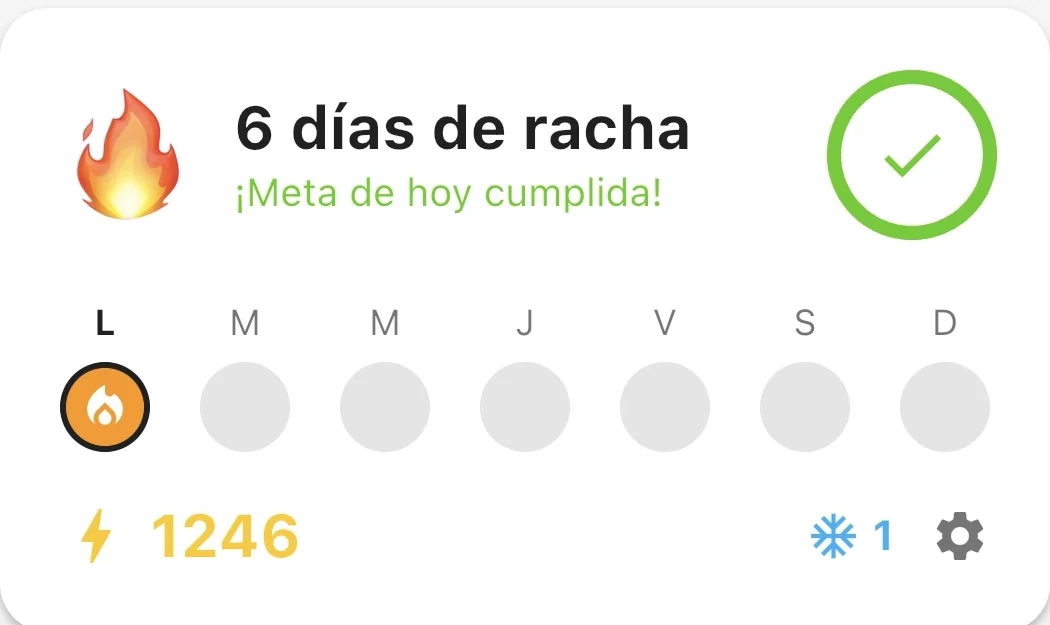
It grows every day you hit your goal. Miss a day and a streak freeze saves it for you.
10 XP for every step you build and 20 for finishing a tutorial. You set the pace: 10 to 50 XP a day.
From “First step” to “Nairda Engineer”. Each one with a progress bar so you can see how far you are.
Scheduled on your device, with its own clock. No account, no internet, nothing sent to any server.
In the browser, on Android and on iPhone. Your projects are yours and they travel with you.